
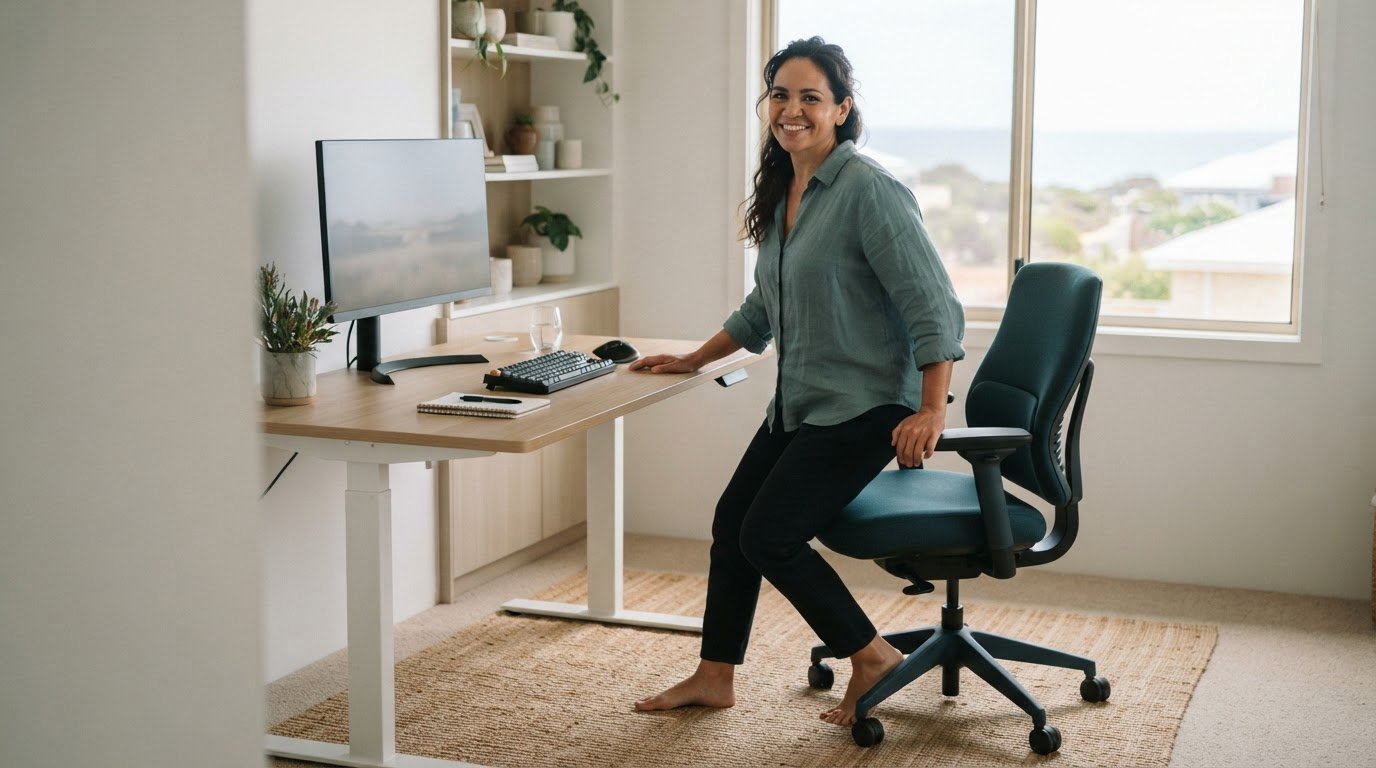
The best posture for a sore back may be the one you change. If disc-related symptoms flare during desk work, finding a single “perfect” position can feel impossible. Ergonomics for disc issues is less about holding yourself rigid and more about making your workspace comfortable, then changing positions regularly.
Sitting can feel aggravating, and conflicting advice about chairs, posture and movement can leave you worried that one wrong move will cause harm. Everyday movement isn’t automatically dangerous, but symptoms deserve attention, especially if they’re new, worsening or affecting your daily activities.
This article covers practical desk adjustments, ways to add movement to your workday and signs it may be time for an individual assessment rather than more workstation tweaks. Golden Bay Chiropractic Works provides posture analysis and flexion extension ergonomics teaching, bringing ergonomic education into a personalised discussion about work-related comfort.
Key Takeaways
- Ergonomics for disc issues is about adapting your workspace and tasks to you, not forcing one ideal posture.
- A scan or disc finding alone doesn’t explain what’s causing your symptoms. Consider the whole picture.
- Adjust your chair, desk, screen and input devices as a connected setup. Change one factor at a time and notice how it feels.
- If symptoms persist, worsen or affect daily activities, posture analysis and ergonomic teaching can help you discuss suitable next steps.
Ergonomics for disc issues: why desk work can feel uncomfortable
Workplace ergonomics means fitting work tasks and the workspace to the person doing them. It’s not about forcing everyone into one “correct” posture. For ergonomics for disc issues, consider whether your setup suits the task, feels manageable and lets you adjust your position when needed.
A desk job can involve long spells in one position, repeated reaching or frequent keyboard and mouse use. These demands may feel uncomfortable for some people, but responses differ. Discomfort doesn’t automatically mean you’ve damaged your back or made a disc problem worse.
What does an ergonomic workspace mean when you have disc issues?
Think of your workstation as a whole. Your chair, desk height, screen position and keyboard placement all affect how you work. Aim for a setup that lets you see the screen without leaning forward, keeps frequently used items within easy reach and allows you to shift position between tasks. This may feel more comfortable than a setup that makes you hold still or stretch repeatedly.
These changes can support day-to-day work, but they don’t heal a disc. A disc herniation overview describes one type of disc change. A scan finding alone doesn’t establish the cause of an individual’s symptoms or how those symptoms will behave.
Why does desk work affect people differently?
Your symptoms, duties and comfortable positions are personal. One person may find a long video call difficult, while another notices discomfort during repeated bending to reach files or prolonged mouse use. Even the same task can feel different from one day to the next.
Look for patterns without judging your posture as “good” or “bad”. Note which task you were doing, how long you’d been doing it and whether changing position affects your comfort. These observations can guide a workstation review, rather than leading you to assume a disc finding explains every sensation. If a movement sharply worsens symptoms, don’t push through it.
How workstation setup and movement affect disc-related symptoms
Your chair, desk, screen and keyboard work together. If one part makes you reach, lean or hold your shoulders tense, the rest of your setup may not feel comfortable either. Aim for a relaxed, supported position that lets you work, not a rigid pose you must maintain. The CDC’s Ergonomics and Musculoskeletal Disorders resource explains the value of fitting work to the person. For ergonomics for disc issues, let comfort and task demands guide your adjustments.
Which workstation adjustments are worth testing first?
Start with what you look at and reach for most. Position the screen so you can see it without leaning forward. Keep your shoulders relaxed and bring the keyboard close enough that your elbows can stay near your sides. If your feet don’t rest comfortably on the floor, try supporting them. These are options to test, not rules that suit everyone.
Change one factor at a time. For example, move the keyboard closer, then notice whether typing feels easier before changing the chair or screen. This makes it easier to tell which adjustment helps, has no clear effect or feels worse. A setup that suits one task may need a small change for another.
Why is movement part of ergonomics?
Even a comfortable position can become tiring if you stay in it for too long. Look for natural chances to stand, walk briefly or switch tasks. Take a call on your feet, collect a document or move from screen work to another duty. You don’t need a strict break schedule or a special exercise routine. Small, manageable changes can make the workday less static.
If an adjustment or movement sharply increases your symptoms, stop and reconsider rather than pushing through. Golden Bay Chiropractic Works discusses work-related comfort through posture analysis and flexion extension ergonomics teaching. A posture and ergonomics discussion can help you consider possible changes in the context of your work and comfort.
How to adapt your desk and workday when disc symptoms flare
When symptoms flare, avoid changing your whole workstation at once. A small, deliberate test can help you spot whether a particular task or setup factor is making work harder. Use the same approach at a home office or workplace in Golden Bay, Secret Harbour, Singleton, Madora Bay, Karnup, Port Kennedy, Warnbro, Waikiki, Rockingham, Mandurah, Silver Sands, Greenfields, Serpentine or Baldivis.
A practical desk-reset sequence
Try this simple sequence during a task that feels difficult:
- Identify the task. Is discomfort building during typing, video calls or reaching for frequently used items?
- Adjust one factor. Start with chair and screen position. Then check keyboard reach, foot support and whether your task layout encourages repeated twisting or stretching.
- Observe your comfort. Notice how the change feels as you work. Don’t force a position that makes symptoms worse.
- Review. Keep brief notes about the task, your position and your response. Look for patterns, not a diagnosis.
This gives you a clearer basis for deciding whether to keep, refine or undo a change. It also helps you describe the issue if you seek an individual assessment.
What if sitting, standing or walking feels uncomfortable?
There’s no single position that suits everyone, and switching to standing isn’t automatically the answer. If sitting becomes uncomfortable, try a brief, comfortable change of activity, such as standing to sort a document or walking a short distance if that feels manageable. If standing or walking brings on more discomfort, pause and choose another tolerable task or position. The aim is variation within your comfort, not pushing through a worsening response.
If symptoms persist, worsen or feel concerning, don’t keep experimenting with desk changes indefinitely. An individual assessment can help clarify what’s going on and inform suitable next steps. Golden Bay Chiropractic Works provides posture analysis and flexion extension ergonomics teaching as part of a practical discussion about work-related comfort. Arrange a posture analysis to discuss your work setup and symptoms.
When to seek help with ergonomics for disc issues
Desk adjustments can be a useful starting point, but they can’t explain every symptom. If discomfort persists, worsens, limits your usual activities or concerns you, an individual assessment can help clarify what you’re experiencing and discuss suitable next steps. The aim isn’t to promise a diagnosis or a cure. It’s to consider your symptoms and daily needs rather than keep changing your setup without a clear direction.
What can an individual ergonomic discussion cover?
A helpful discussion can cover the tasks you do, how you sit or move while doing them, and which positions seem to affect your comfort. Sharing brief notes about what you’ve already tried can make the conversation more specific. Posture analysis and flexion extension ergonomics teaching at Golden Bay Chiropractic Works support a practical discussion about work-related comfort. Suggestions should reflect your presentation and routine, not a universal posture rule.
Getting support in Golden Bay and nearby communities
Golden Bay Chiropractic Works serves Golden Bay and nearby communities, including Secret Harbour, Singleton, Madora Bay, Karnup, Port Kennedy, Warnbro, Waikiki, Rockingham, Mandurah, Silver Sands, Greenfields, Serpentine and Baldivis. Led by Dr Barrie Miller, who has over 35 years of experience, Golden Bay Chiropractic Works provides posture analysis and discusses suitable next steps, including whether a chiropractic spinal examination may be relevant to your concerns. An assessment can inform the conversation, but it doesn’t guarantee a particular result.
If you’re unsure whether to keep adjusting your workstation, bring your questions and observations to a clinical discussion. It can help you think through your work tasks and possible ergonomic changes in context. For support with posture analysis and ergonomic education, arrange a discussion with Golden Bay Chiropractic Works. A calm, considered next step can be more useful than trying to find one perfect desk position.
Make your next adjustment a considered one
You don’t need to solve every discomfort at your desk in one go. Choose a manageable next step: notice when symptoms arise, consider what you can comfortably change, and seek individual guidance if the pattern persists or worries you. That’s more useful than chasing a perfect posture or assuming every movement is harmful.
With ergonomics for disc issues, progress means making informed choices that fit your work and your day, without expecting a desk adjustment to cure a disc problem. Golden Bay Chiropractic Works can help you discuss work-related comfort and possible ergonomic changes in light of your individual needs.
Frequently Asked Questions
Can a disc bulge cause no symptoms?
Yes. A disc bulge may be present without causing noticeable symptoms. Imaging findings don’t always explain how someone feels, and symptoms can have several contributing factors. If a scan shows a bulge but you feel well, that finding alone doesn’t mean you need to change your desk or restrict ordinary activity. Discuss unexpected or new symptoms with a clinician rather than self-diagnosing from a report.
Can an ergonomic chair fix a disc problem?
No. An ergonomic chair can’t repair or cure a disc problem, though a chair that suits your body and desk tasks may make sitting more comfortable. For example, if you’re constantly shifting to reach your keyboard, adjusting your chair height or bringing the keyboard closer may be worth testing. In ergonomics for disc issues, the chair is one part of the setup, not a treatment by itself.
Is standing all day better than sitting with disc issues?
Not necessarily. Standing for long periods can also feel uncomfortable, just as sitting can. Rather than swapping one fixed position for another, consider whether you can alternate between tasks and positions in a way that feels manageable. For example, you might stand briefly while reading a document, then sit again if standing becomes uncomfortable. Stop or change course if symptoms noticeably worsen.
Can a desk setup tell me whether I have a herniated disc?
No. A desk setup can show which working positions feel uncomfortable, but it can’t confirm a herniated disc or identify its cause. That requires individual clinical assessment. A clinician may consider your symptoms and examination findings, then decide whether further investigation is appropriate. Golden Bay Chiropractic Works provides Chiropractic Spinal Examinations for people in Golden Bay, Secret Harbour, Singleton, Madora Bay, Karnup, Port Kennedy, Warnbro, Waikiki, Rockingham, Mandurah, Silver Sands, Greenfields, Serpentine and Baldivis. PH 08 9537 1226
